Lifecycle marketing
 Customer data management
 Email campaign production
 Search marketing
 CMS development
 Who we are
 How we work
 Case studies
 Testimonials
 Work samples
 Salesforce Marketing Cloud
 Braze
Braze HubSpot
 Marketo
 Pardot
 DataBricks
 Snowflake
 HighTouch
 RudderStack
 Segment by Twilio

The significance of email deliverability can’t be overstated. Deliverability means inbox placement, so we’re really dealing with the foundation of foundations in email marketing.
The Marketing Cloud suite offers a number of deliverability features and tools, such as:
- Sender Authentication Package (SAP)
- List Detective
- Bounce Mail Management
- My Tracking (Email Studio)
- External tools in the form of Google Postmaster and Microsoft SNDS
That said, these tools alone aren’t enough. You need to actively work alongside them to protect and strengthen your deliverability over time. For a broader perspective on where the platform is heading, this expert takes on the future of Salesforce Marketing Cloud from SalesWings, exploring how evolving capabilities and ecosystem shifts are shaping modern marketing strategies.
Our expert guide shows you how to improve email deliverability in Salesforce Marketing Cloud (SFMC).
How to improve email deliverability in SFMC
To improve email deliverability in SFMC, fully authenticate your sending domain with SPF, DKIM, and DMARC, use a properly configured SAP with a branded subdomain and the right IP strategy, secure all links with SSL, and maintain strict list hygiene by suppressing inactive users and avoiding purchased data. Most importantly, align your From domain with authentication and send consistently to engaged subscribers to build and protect your reputation over time.
Let’s walk through the entire process step by step, beginning with email authentication, moving into IP address strategy, and ending with list hygiene best practices.
1. Email authentication: Establishing the sender identity
Authentication gives your sending a stable, verifiable identity. It proves that the email claiming to come from yourbrand.com was actually sent by someone in control of that domain.
Bear in mind that authentication on its own does not certify that you are a good sender.
But it gives ISPs and reputation providers a consistent handle to attach behavior to. With it, ISPs can accurately measure your conduct over time and treat your emails accordingly.
Now, three standards work together to establish that proof, and you need all three:
- SPF (Sender Policy Framework): It is a DNS TXT record that publishes a list of every IP address authorized to send emails on behalf of your domain. It is the simplest standard to set up and the baseline that every sender needs. Note that SPF does not survive email forwarding, because the forwarding server’s IP is not on your original approved list, and the check fails at the destination.
- DKIM (DomainKeys Identified Mail): DKIM solves the forwarding problem by embedding a cryptographic signature directly into the message itself. Because the signature travels with the email rather than relying on the originating IP, it remains verifiable at every hop along the delivery chain. DKIM takes more effort to configure, and some DNS providers do not support the recommended 2048-bit key length. But it’s essential for deliverability.
- DMARC (Domain-based Message Authentication, Reporting, & Conformance): This is the policy layer above SPF and DKIM. It tells receiving ISPs exactly what to do when a message fails authentication. More importantly, it closes the door on phishing and spoofing by blocking anyone who fraudulently claims to send on your behalf.
In Salesforce Marketing Cloud (SFMC), the Sender Authentication Package configures SPF and DKIM automatically as part of its setup. It is the fastest, most reliable path to full authentication within the platform.
Authentication is the starting point for any serious sending program on any platform.
One underappreciated benefit of proper authentication is reputation protection. Without it, a spammer spoofing your domain can damage your standing at ISPs even though you sent nothing wrong. Authentication draws a clear boundary: ISPs will not count fraudulent email against your domain’s reputation once that boundary exists.
Sender Authentication Package (SAP)
Without explicit configuration, every link, image, and tracking element inside your SFMC emails points back to Salesforce’s infrastructure, not your brand. As a result, the reputation built by that sending activity attaches to Salesforce’s domains, not yours.
The Sender Authentication Package corrects this by replacing every platform-branded element with your own subdomain and bundling the authentication standards to back it up:
- With SAP active, every technical element of your emails, like click-tracking URLs, hosted images, view-online links, bounce processing, etc., runs through your subdomain.
- SAP is like an account branding tool. It bundles four things: a Private Domain with link and image wrapping, a dedicated IP address, Reply Mail Management, and full SPF and DKIM authentication — all tied to a branded subdomain you own and control.
- Each SFMC account supports one SAP domain. You can layer additional Private Domains on top for additional from-address domains, but the core branding elements — click domain, image domain — will always reflect the primary SAP subdomain.
- SAP can be shared across multiple business units or accounts, as long as every account sits on the same Salesforce data centre stack. Cross-stack sharing is not supported.
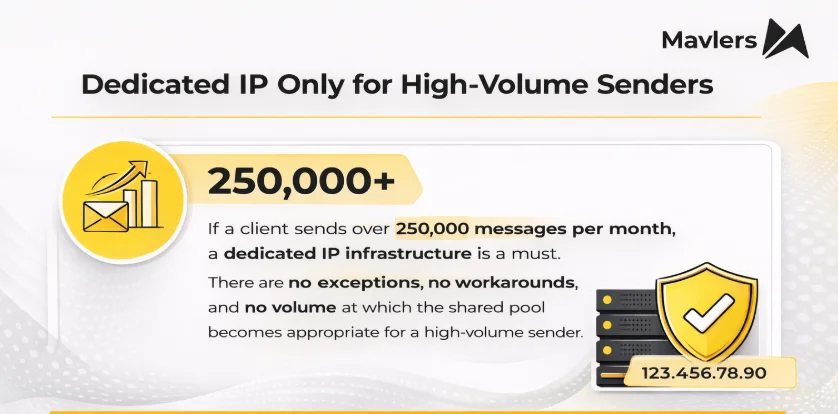
- Accounts sending fewer than 250,000 messages per month may use SAP alongside the shared IP pool. At 100,000 per month and above, a dedicated IP is recommended. But at 250,000 per month and above, a dedicated IP is absolutely required.
Reconfiguring SAP after choosing the wrong domain incurs additional cost.
This decision deserves careful consideration before going live. Remember, the domain you pick at setup is the domain you’re going to build your reputation on.
| Email authentication standards: What to watch & what to ignore | ||||
|---|---|---|---|---|
| Standard | Status | What it is | What to do | Why it matters |
| DomainKeys | Deprecated | Yahoo’s predecessor to DKIM | Ignore | Fully superseded by DKIM |
| Sender ID | Deprecated | Microsoft’s SPF variant | Do not implement | No longer supported; ISPs rely on SPF + DKIM |
| BIMI | Essential | Displays brand logo in inboxes | Implement | High trust signal; increases open rates in Gmail/Yahoo |
SSL certificates: Securing your links, images, and landing pages
If your SAP domain serves click-tracking links, hosted images, landing pages, or view-online URLs over HTTP rather than HTTPS, modern browsers will flag the connection as insecure. Now that’s a deliverability signal worth taking seriously.
SSL certificates add the encryption layer that makes those URLs HTTPS. And in Salesforce Marketing Cloud (SFMC), this is a separate configuration step from SAP itself, not included automatically:
- In SFMC, two SSL certificates are required. The first covers image URLs. The second covers all other SAP-branded URLs: click tracking, view-online links, and Cloud Pages.
- One SSL certificate can only secure one SAP domain. Now, if the same domain is shared across multiple accounts on the same stack, those accounts can share the certificate, but it cannot span different domain names.
SSL is relevant wherever a recipient’s browser may be directed as a result of engaging with your email: landing pages, Cloud Pages, hosted image URLs, click links, and view-as-webpage. If any of these are HTTP, browsers will display security warnings that damage trust and conversion.
Reconfiguring SAP after choosing the wrong domain incurs additional cost.
How to choose your sending domain
Your sending domain is a trust signal evaluated by ISPs, spam filter networks, blacklist operators, and the people receiving your email. Get it right, and you start with credibility. Get it wrong, and remediation becomes disproportionately difficult because the domain itself raises flags before the content is ever evaluated. These are the rules that govern a sound domain choice:
- Always use a subdomain of your company’s primary web domain. If your website is ntoretail.com, your sending domain should be email.ntoretail.com or em.ntoretail.com — something immediately recognizable as belonging to your brand.
- Never register a cousin domain. These look deceptive to consumers and are frequently exploited by fraudsters who register the adjacent variation to launch phishing campaigns.
- Never use a generic, unbranded domain. Domains with no recognizable brand in the name are treated with deep suspicion by ISPs and major filter networks. Blacklist operators will decline to assist with remediation on a domain that looks inherently suspicious — they will assume the domain is the problem.
- Do not include “Salesforce” or “ExactTarget” in your subdomain name. The email is your brand’s, not the platform’s. Referencing the ESP creates consumer confusion and defeats the entire purpose of authenticated, branded sending. Recipients should not need to know which technology you use.
- Stick to the .com TLD where possible. The .info and .biz TLDs carry higher baseline scores in spam filters. The .org TLD has registrar compliance issues that have resulted in unexpected domain seizures. The .edu, .mil, and .bank TLDs cannot be registered by commercial entities, though a client-owned .edu subdomain will work within the platform.
- Underscores are not permitted in domain names due to DNS restrictions. Hyphens are allowed. Newer TLDs like .photo or .christmas are technically supported in Salesforce Marketing Cloud (SFMC), but may cause issues with some ISPs. Net: whenever in doubt, use .com.
For businesses operating multiple brands under one parent company, the right approach is a parent company subdomain with individual brand URLs on that subdomain. A generic cross-brand domain with no company name in it is not acceptable.

DMARC: The most powerful authentication layer
DMARC is the capstone of email authentication. Done right, it stops phishing and spoofing cold, giving ISPs a firm instruction to block any email that claims to be from you but cannot pass authentication checks. Done badly, it blocks your own legitimate email and creates a deliverability crisis that can take weeks or more to fully diagnose and resolve.
It deserves far more caution than most senders give it:
- DMARC requires alignment, i.e., the domain in your from address and the domain in your bounce (return-path) address must match at the parent domain level. SFMC’s SAP satisfies this automatically for emails sent from the SAP subdomain. Problems arise when senders use from addresses on domains not configured in Marketing Cloud, or if multiple domains with different parent roots are used from the same account.
- Before publishing any DMARC enforcement policy, conduct a full audit of every system sending email on your domain’s behalf — your ESP, CRM, hiring platforms, customer service tools, transactional email services, and web server scripts. A forgotten mail stream will look exactly like a phishing attempt under a rejection policy and will be blocked as one.
- Start with p=none in monitor mode and collect DMARC aggregate reports before enforcing anything. These reports surface every mail stream sending under your domain, including ones you may not know exist. Do NOT move to enforcement until every legitimate stream passes authentication cleanly and consistently.
- Private Domains in Salesforce Marketing Cloud (SFMC) are not DMARC-compliant by default. The bounce domain and from-address domain may not align when multiple Private Domains are in use, which breaks the alignment DMARC requires. Enable the “multi-bounce domain” feature to give each Private Domain its own aligned bounce path.
Even a perfectly configured DMARC setup will produce a small number of DMARC failures, and this is expected. Some ISPs break DKIM signatures during forwarding. Others change the return-path during forwarding in ways that break SPF alignment. These are artifacts of the email forwarding ecosystem, not failures of SFMC.
SFMC deliverability best practices
The table below provides a quick reference to SFMC deliverability best practices, covering every pillar of email authentication.
| Email authentication & branding best practices | ||
|---|---|---|
| Protocol | Strategy | Key actions |
| SPF | Efficiency | Keep records simple, prefer ipv4/ipv6 over hostnames to stay under 10-lookup limit |
| Security | Use ~all for testing, +-all for production, Never use +all. | |
| Architecture | Use subdomains for different vendors to segment/lookup budgets and avoid a/mx mechanisms. | |
| DKIM | Encryption | Use 2048-bit RSA keys, rotate them every 6 months. |
| Alignment | Ensure the signing domain matches the “From” address, sign all outbound headers. | |
| Organization | Use unique selectors/keys for distinct mail streams (e.g, marketing vs. transactional). | |
| DMARC | Phased rollout | Start with p=none, move to p=quarantine, and finally p=reject. |
| Visibility | Review aggregate reports regularly to identify unauthorized senders. | |
| Coverage | Publish a record for every domain, even those that do not send email. | |
| BIMI | Assets | Use a high-quality, trademarked logo exported as a compliant SVG file. |
| Validation | Obtain a Verified Mark Certificate (VMC) from an authority, this is required for most inbox providers. | |
| Prerequisites | Ensure DMARC is set to p=quarantine or p=reject, BIMI will not work on p=none. | |
2. IP address strategy: Volume, segmentation, & reputation ownership
Your IP address is the second dimension of your sender reputation. ISPs build a historical record for every IP from which they receive email, and that record directly influences where your email lands. Accordingly, the goal is not simply to have a dedicated IP. It is to use IP addresses in a way that reflects consistent, legitimate, high-quality sending behavior over time:
- The minimum volume threshold for a dedicated IP to function effectively is 250,000 emails per month. Below this volume, the IP will not accumulate enough reputation signal for ISPs to treat it favorably. Expect intermittent bulking and blocking that never fully resolves. This is not because of content issues, but because inconsistent volume looks suspicious.
- The practical daily ceiling per IP is approximately 2 million messages. Above this level, ISPs throttle aggressively, delaying delivery regardless of sender reputation. Add additional IPs as volume grows, rather than pushing a single IP beyond its effective range.
- As a volume-based rule of thumb: one IP for sends up to 2 million per day, two IPs for 2–4 million, three IPs for 4–6 million, and so on proportionally.
- Do not over-provision IP addresses. Thin volume spread across many addresses is the defining characteristic of snowshoe spamming — a technique used by bad actors to dilute their footprint and evade per-IP reputation tracking. Filter networks like Cloudmark and Spamhaus will classify it as such, regardless of whether the underlying email is legitimate.
- Segment mail streams onto separate IPs only when each stream can sustain the 250,000 per month minimum. (You do not need separate IPs for different countries.)
- Multiple business units can share IP addresses freely. The same IP can serve any number of accounts on the same data center stack. A hostname mismatch between the IP and the sending domain is harmless and has no deliverability impact whatsoever.
- New IP addresses always require a warm-up period. There are no pre-warmed IPs in SFMC, and that is intentional. You build your reputation using your own sending data, so you own it entirely from day one. Don’t let a warmed IP go dormant for more than 30 days without a sending plan; reputation degrades, and re-warming is necessary.
Clients cannot bring their own IP addresses to Marketing Cloud. IPs are non-transferable. Any IP used in Salesforce Marketing Cloud (SFMC) is provisioned and managed within the Salesforce infrastructure.
Shared IP is not a fallback for senders who want to avoid the commitment of a dedicated IP.
The shared IP pool: What’s it for and what it isn’t
The shared IP pool exists for a single purpose: to give very low-volume senders — those under 250,000 messages per month — a sending infrastructure they could not sustain independently.
It is not a fallback for senders who want to avoid the commitment of a dedicated IP. It is not a temporary home before a client “grows into” their own setup. And it is not a cost-saving option for high-volume senders who simply prefer not to pay for dedicated infrastructure. Using it in any of those ways causes harm that extends well beyond one account.
| Shared IP pool: Key points to note | |
|---|---|
| Point | Detail |
| Reputation is shared | The pool’s reputation is a blend of all low-volume senders. A high-volume sender can disrupt this balance and trigger blacklisting. |
| Avoid sudden volume spikes | Volume spikes trigger ISP filters, flagging snowshoe spamming, and can lead to entire pool blacklisting. |
| Create a dedicated IP pool for shared enterprises | Combine volume from all BUs under one dedicated IP pool to build a coherent reputation and shared protection. |
| Consistency is key | Use either shared or dedicated infrastructure, not both. Maintain consistency across all sending streams. |
3. List hygiene & sending habits
Authentication proves who you are. Infrastructure provides the channel through which your mail travels. But what actually determines whether ISPs route your mail to the inbox or the spam folder is your sending behavior. Specifically, whether the people you are emailing want to hear from you.
To that end, consider the following Salesforce Marketing Cloud (SFMC) email list hygiene best practices:
- Suppress unengaged subscribers on a rolling basis. A 6-to-12 month inactivity window is a sensible starting point for most programs, adjustable for longer sales cycles. The key point is that inactive addresses are not neutral; they drag down your engagement metrics and signal to ISPs that your list contains recipients who do not want your email.
- Audit spam complaint rates by individual send. Sort your recent sends by complaint rate, exclude very small sends from the analysis, and investigate outliers. Disproportionately high complaints on specific sends frequently point to a bad list source, a segmentation error, or content that badly missed subscriber expectations. The list behind that send may need to be suppressed or deleted entirely.
- Purchased lists, appended lists, and bad data spook email deliverability. Purchased lists contain addresses that never opted in. Appended data introduces spam traps. Old data that has gone years without engagement is riddled with addresses recycled into ISP traps.
- Your “from” address must align exactly with your authenticated sending domain. A “from” address on any other domain breaks authentication alignment.
- Never send as a consumer email provider domain — Gmail, Yahoo, AOL, Outlook. These providers explicitly prohibit third-party platforms from sending through their domains. Messages sent this way fail SPF, fail DMARC, and are blocked as spoofed or fraudulent mail. No ISP makes exceptions to this. Plus, no authentication workaround exists.
Steady, consistent sending volume over time is better for IP reputation than erratic spikes. ISPs expect legitimate bulk senders to exhibit predictable patterns. Sudden large spikes after extended dormancy look suspicious and can trigger throttling or temporary blocking at major ISPs.
[Our sincerest gratitude to AI Iverson of Spam Resource for the insights in this post.]
Take control of Salesforce Marketing Cloud deliverability!
Deliverability is not a one-time setup task, and it is not someone else’s problem. Authentication, domain strategy, IP configuration, DMARC policy, SSL coverage, list hygiene, and sending behavior are all interconnected. A weakness in any one area will eventually surface as blocked email, as spam folder placement, or as reputation damage that takes months to repair. These things compound in both directions: good practices build on each other, and so do bad ones.
That combination of technical rigor and genuine respect for the audience is very hard for ISPs to argue with. And it is very hard for competitors to replicate.
If you need expert support with Salesforce Marketing Cloud deliverability, we can help.
With over 10 years of experience in serving more than 800 SFMC clients, we can be your go-to execution partner. Get in touch with one of our Salesforce Marketing Cloud (SFMC) experts.