Lifecycle marketing
 Customer data management
 Email campaign production
 Search marketing
 CMS development
 Who we are
 How we work
 Case studies
 Testimonials
 Work samples
 Salesforce Marketing Cloud
 Braze
Braze HubSpot
 Marketo
 Pardot
 DataBricks
 Snowflake
 HighTouch
 RudderStack
 Segment by Twilio
As a marketer, you already understand the importance of personalization. Since you’ve invested in Braze, we know delivering personalized experiences to engage customers matters to you.
But what if you’re not extracting the most out of Braze?
As Braze experts, our audits of client accounts have revealed a lot of impoverished setups. For example, one of the most overlooked Canvas settings is audience re-evaluation during a journey. Most teams only check audience membership when a user enters the Canvas, and keep them on the same path. No matter the status of their relationship with the brand over time.
There are also several features in Braze that can unlock real-time personalization. But teams either don’t know they exist or misunderstand how they work.
You may not be one of those. But if your personalization efforts are not delivering the results you expected, you might want to stay put. Let’s begin.
4 underused Braze personalization features
1. Connected Content
Connected Content is a feature in Braze that allows you to extract data from external APIs or web servers directly into your messages in real time.
As per our post-audit meetups, two reasons stand out consistently for why it’s underused:
- Many teams think the integration involves a lot of engineering work. But if your product has APIs, which most products do anyway these days, the setup is not difficult.
- Marketers are often unsure about what data they can use or how to set up the logic. With the right implementation partner and a data plan, this becomes much easier.
Why do I need Connected Content?
Connected Content allows you to power dynamic messaging in Braze using real-time external data at the moment of send without having to store or constantly sync that information within the Braze database. It effectively turns your messages into dynamic templates that can query your own backend or third-party APIs for the most current information available.
Now, why is that significant? It eliminates data latency and storage bloat.
It ensures users never see irrelevant information (like an expired flash sale price) while allowing you to personalize your messages using data stored outside Braze. Consider its use cases:
- Show only in-stock products and auto-replace sold-out items
- Display loyalty points, tier status, and reward expiry updates in real-time
- Reflect real-time order and delivery status in your post-purchase emails
- Show current prices and active offers when emails are opened
- Personalize content based on location and weather conditions
- Serve real-time product recommendations tailored to each user through dynamic messaging in Braze
Remember, data latency has implications for customer trust because trust depends on real-time personalization. Lack of real-time personalization may trigger fraud cases.
How might Connected Content look in action?
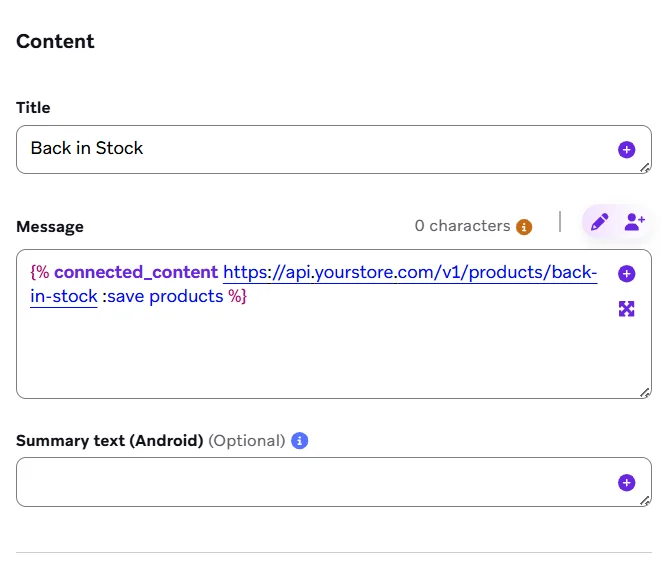
A fashion retailer runs a “back in stock” email campaign. Without Connected Content, the email uses a fixed product grid created when the campaign is built. By the time the email is sent, some products may have sold out.
With Connected Content, the email pulls live product data at send time. Only available products are shown. Prices stay updated. The purchased products are automatically removed.
Below are a few tips you can save for when you’re using Connected Content for real:
- Use caching for high-volume campaigns to reduce API load.
- Always set up fallback content in case the API fails.
- Use Connected Content for personalization; keep sensitive operations server-side.
- Test APIs under heavy load before using them in large campaigns.
2. Catalogs
Catalogs is a Braze feature that allows you to upload and store large sets of relational data, such as product catalogs, store locations, or content libraries, within the Braze platform.
Many teams either don’t know the feature exists or use it only for simple CSV uploads. Features like Catalog Selections, API-based updates, and Liquid joins are often discovered much later, if at all. There’s also a common misconception that Catalogs is just a simpler version of Connected Content. But it’s not. They solve different problems. And they work best together.
Why do I need Catalogs?
Personalization often creates extra engineering work. Many campaigns need custom data feeds, Connected Content endpoints, or one-off Liquid templates. All of this takes time from product and engineering teams. Catalogs reduce that dependency. Once the Catalog and sync are set up, CRM teams can launch personalized, data-rich campaigns on their own.
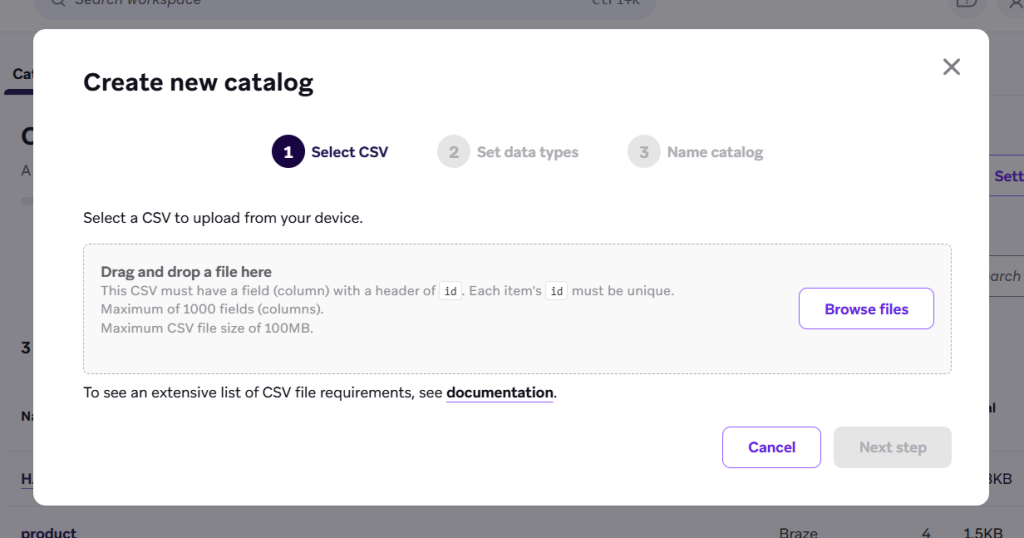
Below are some of the use cases of catalogs in Braze:
- Power product recommendations using browsing and purchase history.
- Serve next article or next episode recommendations without extra backend logic.
- Manage language, currency, and regional content variations from one catalog.
- Personalize upgrade messaging based on missing plan features.
- Reuse active offers and promotions across campaigns without rebuilding the logic.
Catalog Selections: The power feature
Catalog Selections are pre-configured filter and ranking rules layered on top of your Catalog. Instead of pulling a row by ID, a Selection applies the relevant business logic and returns the result set. That logic exists in the Selection definition, not in the message template. Update the Selection, and every message using it updates automatically.
Consider an example. An EdTech platform uses Catalogs to recommend the next course based on a user’s completed lessons. When new courses are added or the learning path changes, the Catalog updates automatically, without editing campaign templates or Canvas flows.
3. Promo codes
Promo codes are used to manage and distribute unique or shared discount codes within your messaging campaigns. It automates the process of assigning specific codes to individual users from a centralized list. Each recipient gets their own code.
Once a code is issued, it’s flagged as used and removed from the pool.
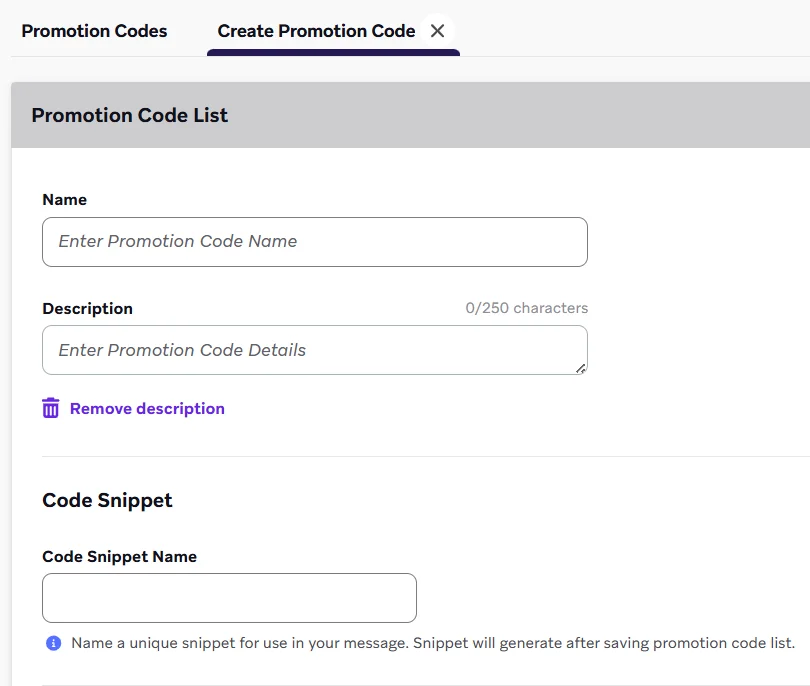
Most brands still handle promo codes outside Braze, usually in spreadsheets, their e-commerce backend, or through manual setups that need engineering every time. This creates a lot of friction. It leads to generic codes that get shared and abused, fewer personalized offers, and no clear way to track what’s actually driving the results.
Why do I need Braze promo codes?
Discounting is a costly and often poorly measured tool in retention marketing. Generic promo codes are especially risky. They get shared widely in deal forums. They encourage customers to wait for discounts. And they make it hard to know if a campaign actually made you extra bucks.
Single-use codes solve the first two of those three problems immediately. Combined with proper holdout group testing, they solve the third.
You can use Braze’s promo codes in various ways:
- Win-back flows: Issue a unique code to lapsed users after a defined period of inactivity. Measure whether it drives incremental reactivation.
- VIP and loyalty rewards: Deliver exclusive single-use codes to high-value segments.
- Cart and browse abandonment recovery: Offer incentives only after all non-incentivized touchpoints fail to move the needle.
- Referral and advocacy flows: Assign unique, trackable referral codes to individual users.
- At-risk retention: Trigger single-use codes for users potentially churning. You can also adjust your messaging by customer value tier.
Prevention of code abuse
Single-use codes are naturally harder to abuse than generic promo codes.
Now, to further strengthen your control, set code expiry windows, which are natively supported in Braze. Choose a min engagement threshold before issuing a code, such as requiring at least one session in the last 30 days. Use holdout groups to measure the incremental impact.
But at the same time, make sure you don’t trip over these loose wires:
- Issuing codes too early in the user journey: If you offer a code at the first abandonment touchpoint, you risk training users to abandon intentionally.
- Not setting expiry windows: Open-ended codes blunt urgency and make attribution difficult.
- Not using holdout groups: Without a control group, you cannot isolate the incremental lift driven by the incentive from organic conversions.
4. Feature Flags
Braze Feature Flags allow you to control the availability of product features for specific users or segments directly from the Braze platform, without requiring code deployment. You can enable a feature for a specific cohort, gate it behind a segment, or roll it out gradually. You can also coordinate messaging about that feature, all within the same platform and using the same user data graph.
Unfortunately, Feature Flags are almost always seen as a developer tool.
Product teams use them for staged rollouts, and engineering teams use them as kill switches. CRM teams are often not even aware they exist. This costs brands an important coordination capability, because the value of Feature Flags is not just the flag itself. It is the ability to combine feature access with personalized messaging based on the same user state.
Why do I need Feature Flags?
Brands manage their product experience and CRM strategy separately.
A product team launches a new feature and shows an in-app tooltip, while the CRM team sends follow-up messaging much later. This creates a disconnected customer experience.
Feature Flags help solve this. When feature access and messaging are managed in the same platform, brands can create coordinated journeys where feature launches, onboarding messages, and engagement campaigns all work together as one experience.
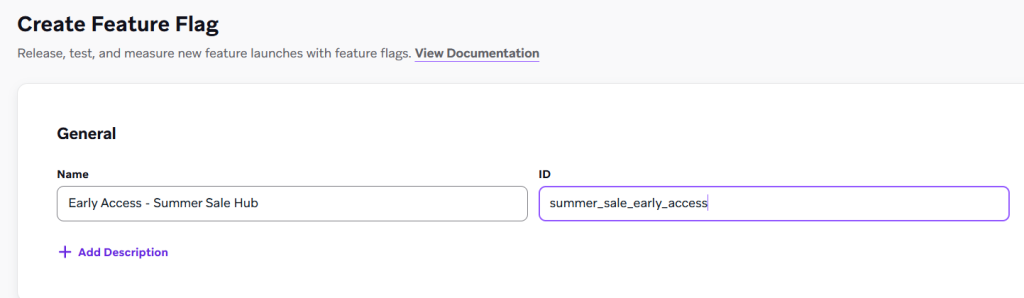
With the help of feature flags in Braze, you can:
- Release new features to specific user segments. Send targeted messaging only to users who have access. Track engagement before a wider rollout.
- Gate beta or early access features for high-value users. Reinforce exclusivity through coordinated messaging.
- Deliver tier-based in-app experiences where messaging is aligned with the features each user segment can access.
- Run experiments that combine feature access and messaging to measure their impact on conversions.
- Design onboarding flows that gradually unlock features as users complete milestones. You can trigger messages at each step.
Realizing the value of feature flags requires the CRM and product teams working from a shared playbook, where customer engagement is treated as a cross-functional discipline.
Take Braze personalization to the next level
All of these features work together as components of a personalized engagement architecture:
- Connected Content and Catalogs power the data layer.
- A nonlinear Canvas setup (see intro) reinforces the use of conditionals.
- Promo codes discipline the incentive layer.
- Feature flags extend coordination into the product space.
Now that you know what’s possible, it’s time to take Braze personalization to the next level.