Lifecycle marketing
 Customer data management
 Email campaign production
 Search marketing
 CMS development
 Who we are
 How we work
 Case studies
 Testimonials
 Salesforce Marketing Cloud
 Braze
Braze HubSpot
 Marketo
 Pardot
 DataBricks
 Snowflake
 HighTouch
 RudderStack
 Segment by Twilio
 Videos
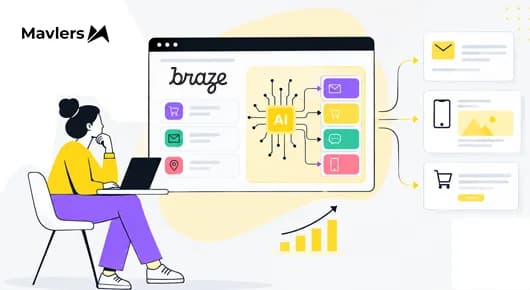
Your data passes the segmentation test. This is a different test.
A Braze instance can run clean, well-segmented lifecycle programs for years and still not be ready for BrazeAI Decisioning Studio™. Segmentation asks who this customer is right now. A learning agent asks something harder: what did we do, what happened next, and did it matter?
Most readiness checks still stop at the first question: profiles complete, warehouse connected, job done. That instinct is where BrazeAI Decisioning Studio data readiness usually goes wrong.
Gartner predicts that through 2026, organizations will abandon 60% of AI projects unsupported by AI-ready data, and its survey found that 63% of organizations either lack, or are unsure they have, the right data management practices for AI.
Our view: readiness for Decisioning Studio depends on whether your data can close the feedback loop honestly. So audit the loop, not the warehouse.
What a learning agent needs that a rules engine never did
Rules-based journeys and segment-level A/B tests mostly needed a customer’s current state: attributes, a few trigger events, and a campaign-level conversion. Profile completeness was a sensible yardstick for that world.
Braze completed its acquisition of OfferFit in June 2025, and BrazeAI Decisioning Studio now uses reinforcement learning agents to make individualized recommendations across dimensions such as message, offer, channel, timing, and frequency, depending on the agent and use case. It sits as a decisioning layer that can work with Braze or other engagement platforms.
That design changes the job your data does. An agent needs to connect the decisions it makes with what customers do afterward: what was activated, how customers engaged, and whether the desired conversion happened. Braze describes activation and conversion data as minimum requirements for AI decisioning and emphasizes the importance of attribution and identity resolution.
The tier matters too. Decisioning Studio Go is a self-serve agent in the Braze dashboard that currently focuses on email creative and click engagement. Broader Decisioning Studio capabilities can optimize business KPIs and work with data from warehouses, CDPs, and other sources, including non-Braze engagement platforms. This audit is written mainly for the broader, data-intensive Decisioning Studio use cases.
Where readiness quietly breaks
Braze’s data guidance highlights several habits that can weaken a learning loop:
- Features and event data use different customer identifiers, so the systems can’t be joined reliably.
- A “last purchase date” attribute stands in for individual purchase events. Fine for a segment, but it removes the event-level timing that can help an agent connect a purchase with an earlier recommendation.
- Profile or feature snapshots are refreshed only when a customer acts, so time-dependent features such as “days since last purchase” can become stale for inactive customers. Braze recommends updating features on a time-driven schedule rather than an event-driven one.
In our experience, these are rarely technical accidents. They come from how enterprise data grew: CRM, ecommerce, and finance each built the tables they needed, with their own identifiers and their own definition of a conversion. Nobody was wrong. Nobody was building for an agent.
Severity varies with data maturity and the number of systems feeding the decisioning workflow. Where these gaps exist, they can make attribution and learning less reliable. A broken identity join or missing activation signal may not stop a campaign from running, but it can make it harder for the agent to connect a recommendation with the outcome that followed.
The audit: Five tests for the feedback loop
The better question isn’t whether you have enough data, but whether your data can reliably connect decisions, customer responses, and outcomes. The checks below combine Braze’s current documentation with practical data-engineering considerations; the grouping is ours to make the audit easier for data and CRM teams.
| Test | Question to ask | If it fails |
| Identity | Does one customer identifier appear consistently across profiles, features, activations, engagements, and conversions? Braze recommends using the Braze external ID for customer-level features. | Joins can break or become ambiguous when ID systems don’t map cleanly. |
| Events as streams | Are activation, engagement, and conversion data available as timestamped records with the identifiers and fields needed to connect decisions to outcomes? | The agent has less information to determine which decision preceded an outcome. |
| Freshness | Are profile and feature snapshots refreshed on a time-driven schedule rather than only when a customer acts? | Time-dependent features can become stale for inactive customers. |
| Outcome | Does every conversion carry a timestamp and, for goals like revenue, its value? Where possible, are fields available to connect the conversion to a specific recommendation, product, channel, or offer? | The agent has less information for accurate attribution. Braze may use proximity when more direct attribution signals aren’t available. |
| History | Can you reproduce the required historical data with consistent definitions and without using information that would not have been known at the time? | Historical results can become inconsistent or introduce look-ahead bias and duplicate records. |
We’d give Test 2 the most design attention because event-level activation and conversion data are central to attribution. Test 5 also needs an early conversation: agree on the historical data and lookback requirements for the specific use case rather than assuming a universal window. And if Decisioning Studio is integrated with Braze or another supported execution platform, confirm during setup which activation and engagement data are collected automatically and which your team needs to provide.
What to settle before the kickoff call
Passing the tests matters. Deciding who owns the answers is what keeps them passing.
Start with one outcome and one owner. Agree on the success metric, and whether CRM, finance, or product owns its definition, before configuration begins; a definition that shifts later can create attribution and data-quality problems.
Size the work honestly. Event pipelines, an ID map, and historical data preparation all need engineering time, usually from existing capacity. None of this necessarily means rebuilding the warehouse. Start with the activation and conversion data the use case requires, then add customer features and other signals that can improve decision quality.
Then match the setup to your readiness. If you’re starting with Decisioning Studio Go, its current self-serve experience has a narrower email-and-click scope. For broader KPI optimization, data sources, and decision dimensions, plan for the additional data and implementation work those use cases require.
Braze’s AI Success and Field Data Science teams can support Decisioning Studio programs, while the brand still needs clear data definitions and reliable pipelines. That’s where we typically help as a Braze Alloys partner: auditing event and identity design, aligning CRM and data teams on definitions, and supporting programs once the agent is live. Our Decisioning Studio guide picks up from there with setup details.
Wrapping up
That brings us to the business end of the article: the quality of the learning loop determines what the agent can learn from.
Decisioning Studio is built to learn from customer data and outcomes, which is why the quality of the loop matters more than simply having a large profile. A segment built on flawed data can be wrong in a way someone may spot. A decisioning system working from incomplete or poorly attributed signals can make it harder to distinguish what actually worked.
The audit is how you make sure the data connecting decisions, customer responses, and outcomes is accurate enough for the use case.
If you’re still choosing where to begin with BrazeAI, our comparison of Operator, Agent Console, and Decisioning Studio is a good next read.