Lifecycle marketing
 Customer data management
 Email campaign production
 Search marketing
 CMS development
 Who we are
 How we work
 Case studies
 Testimonials
 Work samples
 Salesforce Marketing Cloud
 Braze
Braze HubSpot
 Marketo
 Pardot
 DataBricks
 Snowflake
 HighTouch
 RudderStack
 Segment by Twilio
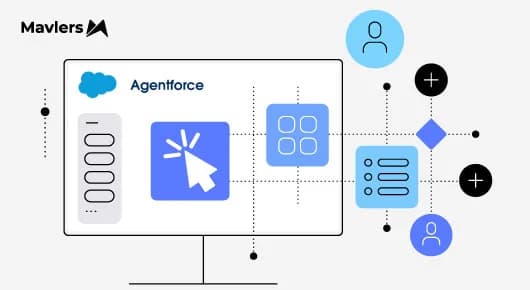
Agentforce Builder is Salesforce’s studio designed for creating, customizing, and deploying autonomous AI agents across the Salesforce ecosystem. It provides admins, business analysts, and developers with a unified workspace to create AI assistants that understand intent, make decisions, execute tasks, and trigger actions within Salesforce, eliminating the need to build out complex models or write intricate logic.
Salesforce no longer supports the legacy builder. We will review the features of the new builder before addressing the migration process. Let’s get started with the updates.
New Agentforce Builder: A quick look
The updated Agentforce Builder delivers significant enhancements to Salesforce’s AI platform. It offers a comprehensive environment for low-code admins, business users, and professional developers.
Agentforce Builder features include the following.
1. Unified Building Views (Agent Canvas, Doc & Scripting)
The builder provides specialized visual workspaces tailored to different user needs:
- Canvas View (Low-Code/No-Code): A visual drag-and-drop workspace for connecting topics, guardrails, and trigger paths.
- Document-Style View: A plain-text interface with natural language editing, inline tools, and typeahead support, providing a familiar document editing experience.
- Script View with Agent Script: Agent Script is a domain-specific language that allows developers to write code directly in the Builder or their IDE.
As far as Agent Script goes, two capabilities are particularly notable. The first is “available when” logic, which allows you to specify that certain topics, such as order management or FAQs, are inaccessible until a user’s identity is verified. This eliminates the need to repeat identity verification instructions throughout the agent. The second is action chaining: for example, when a customer submits a return, the system can automatically notify the merchant, ensuring consistent follow-up without additional reminders.
Instructions that previously required long-winded natural language with repeated qualifiers can now be condensed into a few lines of Agent Script, ensuring consistent behavior every time.
2. Hybrid reasoning engine
The reasoning framework extends beyond standard LLM generation by combining predictive, deterministic business logic with generative intelligence:
- Agents remain strictly aligned with enterprise guardrails and security policies.
- The engine enables topic pass-through, allowing agents to chain actions across separate topics without interruption.
Hybrid reasoning allows certain parts of an agent’s logic to run as deterministic steps while reserving the language model for tasks that require judgment.
In practice, an AI agent can execute tasks such as pulling an order, checking a loyalty tier, or reviewing account history before sending information to an LLM for reasoning. These steps are performed with certainty, similar to how Apex or flows operate today. The model is only engaged once the necessary context is established, and only for interactions where reasoning is needed. This approach delivers more consistent behavior and faster responses, as not every step is routed through a full LLM call.
3. Data grounding with ensemble retrievers
Builders can now configure ensemble retrievers to search multiple unstructured and structured sources simultaneously, merge results, and provide comprehensive context to agent prompts.
Ensemble retrievers in Salesforce examples:
- Combines Vector Search (understands natural language intent) with Keyword Search (catches exact product codes/SKUs). The ensemble retriever merges both using RRF ranking so the AI gets accurate, context-aware results.
- Queries standard Knowledge Base Articles alongside unstructured PDF Manuals at the same time. It scores and deduplicates content from both sources into a single top-rank context payload.
- Pulls structured Contract Records and unstructured Call Transcripts in Data Cloud. This grounds the AI with both numerical contract terms and soft conversational context in one step.
4. Multi-modal engagement (Agentforce Voice)
The platform now supports building and deploying Agentforce Voice agents that interact naturally through telephony channels, with seamless escalation to human representatives.
So what is Agentforce Voice in Salesforce? It is an AI-powered voice solution that enables companies to build autonomous, conversational voice agents for inbound and outbound phone support. It interacts directly with your CRM data to check orders, update cases, schedule appointments, and trigger Salesforce Flows in real time.
5. Testing Center & Observability
Agentforce Builder is designed to work as part of a suite of three integrated components within Agentforce Studio, together with the Testing Center and an observability layer:
- Testing & Simulation: A dedicated testing panel allows users to run synthetic conversation scenarios, review trace data, and debug reasoning steps prior to deployment.
- Agentforce Observability: Built-in analytics track metrics such as resolution latency, session deflection, and quality scores, all stored within Data 360.

How to migrate to the new Agentforce Builder
Here are the steps for migrating to the new Agentforce Builder.
Does your agent(s) need to migrate?
Whether or not your agent needs to migrate depends on a number of factors:
- If you haven’t started building, begin directly in the new builder.
- If you are mid-build in the legacy tool and not yet live, you can migrate your progress or rebuild from scratch while risks remain low.
- If your project is already in production, proceed carefully to ensure a smooth transition.
- If the agent is outdated or no longer in use, do not upgrade it. Retire the agent and create a new replacement.
Set right expectations before you start
A migrated agent is not the same as its previous avatar. Its underlying reasoning engine is fundamentally different:
- The old engine pushed every instruction into a single reasoning pass.
- The new one splits behavior into a deterministic step, followed by a reasoning step.
As a result, some instructions transfer directly. However, more complex or repetitive instructions, especially those using frequent “always” and “never” statements to address unreliable LLM behavior, are typically better rewritten than translated line by line.
Choose a conversion approach
- Guided upgrade: Use Agentforce to convert the agent through a UI-driven process that maintains the original structure, enabling easier side-by-side comparison.
- Code-first: Assign the conversion to developer tools or third-party AI coding assistants, which are better suited for teams experienced in manual diff review.
These approaches are not mutually exclusive. Many teams begin with the automated upgrade to obtain a working version quickly, then refine it further using manual tools.
Migrate in stages
- First, review the existing agent’s topics, handoff points, and identify which instructions are effective and which are unnecessary.
- Conduct baseline tests before making any changes to establish a clear point of comparison.
- Migrate the agent in its current state and verify that all existing functionality remains intact.
- After confirming stability, introduce the more deterministic logic enabled by the new builder.
- Avoid adding new features until the core functionality is stable, as premature additions complicate troubleshooting.
Regardless of your approach, thoroughly test the results. Changes in the reasoning model may alter agent behavior in subtle ways, even if instructions appear unchanged.
Getting started with Agentforce Builder in Salesforce
Salesforce introduced the new Agentforce Builder to solve the problem of unpredictability in AI.
First-generation AI tools depended on Large Language Models (LLMs) to make real-time decisions. While effective for conversation, this approach posed risks for business operations. For example, a customer service agent might process a return correctly but bypass company policy in the next instance.
The new Agentforce Builder was launched to address this reliability gap. Going forward, its effectiveness will become clearer as additional roll-outs and use cases are implemented.