Lifecycle marketing
 Customer data management
 Email campaign production
 Search marketing
 CMS development
 Who we are
 How we work
 Case studies
 Testimonials
 Salesforce Marketing Cloud
 Braze
Braze HubSpot
 Marketo
 Pardot
 DataBricks
 Snowflake
 HighTouch
 RudderStack
 Segment by Twilio
 Videos
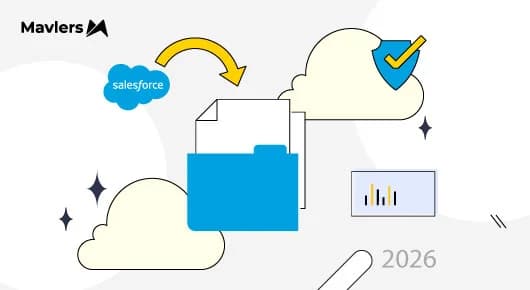
If you manage Salesforce Marketing Cloud Engagement (MCE), your admin must have received an email titled “ACTION REQUIRED: Upcoming Security Enhancements for Marketing Cloud Engagement.” While it may be tempting to set this aside, please review it promptly. One of the changes has a firm deadline of September 30, 2026. If you don’t act by then, your integrations will stop working without warning.
In 2026, Salesforce will implement mandatory security controls across its entire platform. Marketing Cloud Engagement will have its own specific requirements.
Let’s take a look at the key updates, how they affect you, and what you need to do.
Salesforce Marketing Cloud: Security updates 2026
| Change | Deadline | Risk if ignored |
| Client secret expiration | Sept 30, 2026 — then every 180 days | Integrations silently fail |
| IP allowlisting enforcement | Phased from July 30, 2026 | Legitimate users and systems locked out |
| Step-up authentication | Phased from July 30, 2026 | Admin workflow friction |
| PR-MFA for admins | Recommended now, enforced later | Scramble when enforcement lands |
1. Client secrets now expire every 180 days
When your website, CRM, data warehouse, or middleware tool connects to Salesforce Marketing Cloud it authenticates itself using a ‘client secret’.
It is similar to the extra office key that is given to a reliable vendor.
In the past, these keys remained valid indefinitely. For instance, a key generated in 2019 would keep on working without any further action.
Salesforce has revised its security procedures so that from now on each key will expire after 180 days. All current keys, no matter when they were created, will cease to be valid on September 30, 2026.
Impact
Many organizations lack a comprehensive inventory of which systems use specific keys. Client secrets are often hardcoded in CloudPages, embedded in middleware configurations, or included in scripts by former developers.
On October 1, API calls will begin to fail authentication. Your web form will stop adding subscribers to the Data Extension. Triggered sends will not execute. Nightly syncs will be skipped without notification.
These issues may only become apparent days later.
What to do
- Inventory all Installed Packages: The Installed Packages page in Marketing Cloud Setup now displays the expiration date for each client secret. Map each package to its corresponding system and retire any packages that are no longer in use.
- Use the staged rotation process: Salesforce provides a zero-downtime approach: generate and stage a new secret, update your external systems, and then activate the new secret. During staging, both the old and new secrets remain active.
- Centralize your secrets: Rotation must be performed manually in the Marketing Cloud Engagement interface, as there is no available API. However, you can streamline downstream processes by storing secrets in a single vault, such as AWS Secrets Manager or Azure Key Vault.
- Establish a recurring schedule: Set a recurring task around day 150 of each cycle. Treat this as a permanent, semiannual operational routine to ensure preparedness.
2. IP allowlisting moves to enforcement mode
Currently, anyone with valid credentials can access your Marketing Cloud Engagement instance from any location. The only security in place is the account password.
Starting on July 30, 2026, Salesforce will begin to restrict access to approved network locations. Users will be required to log in from an authorised location even if they have the correct password.
If your organization is not already making use of IP allowlisting and has a small number of users, Salesforce will offer you a recommended list of standard /24 (256-address) address ranges based on the login patterns that have been observed. You will then have to check this list, confirm it, and give your approval.
What to do
- Identify all legitimate access points as soon as possible. This includes office networks, VPN egress IPs, remote workers, agencies and partners who access your systems, and any servers making API calls. Any access point you omit will be locked out.
- Do not approve the auto-generated list without review. Salesforce’s recommendations are based only on observed activity; they may not include infrequent users such as contractors or rarely used VPNs. Cross-check the list with your actual access map.
- Engage with partners early in the process. If an agency manages your instance, ensure their IP addresses are included before enforcement begins for your account. Enforcement will be phased, and you will receive advance notification. Use this time to prepare.
- Where possible, use tightly scoped ranges instead of the broadest acceptable range. Overly broad ranges will not be allowed in the future and reduce the intended protection of the control.
Some organizations have previously met IP-range requirements by allowlisting the entire internet address space, which undermines security controls while appearing compliant. Salesforce product management has confirmed that this workaround will no longer be permitted. You will need to define a specific IP range that accurately reflects where your users connect from, rather than using a blanket range.
3. Step-up authentication for high-risk actions
Step-up authentication in Salesforce requires users to complete an additional identity verification before performing high-risk or sensitive actions, even if they are already logged in.
Starting July 30, 2026, all users, including those authenticated with MFA, must re-verify their identity before performing high-risk actions such as changing security settings. This measure addresses the risk of stolen sessions by ensuring that, even if a session is compromised, attackers cannot access sensitive controls without an additional identity check.
Salesforce is creating a number of controls, such as trusted IP ranges, phishing-resistant multi-factor authentication, and single sign-on with strong sign-in indicators, that can be used as alternatives to each other. Organizations which have strong compensating controls will come up against step-up prompts less frequently than those who depend only on standard login. The method offers a flexible solution, enabling administrators to modify the security measures in light of the existing protections.
What to do
- Inform your admins that the primary effect will be increased workflow friction, not system failures. Admins who frequently manage security settings will encounter additional verification prompts.
- Ensure multi-factor authentication methods are up to date. Step-up prompts require users to have a valid, registered verification method. Admins with outdated phone numbers or unenrolled authenticators may be unable to proceed when needed most.
- Consider if implementing stronger IP controls or enhancing SSO sign-in strength can reduce the frequency of step-up prompts, instead of viewing each prompt as unavoidable friction.

4. Phishing-resistant MFA setup
Most people use a six-digit code from an authenticator app for MFA. The primary vulnerability is not the code itself, but the user. Attackers can create convincing fake login pages to capture these codes and use them immediately. The code is susceptible to phishing because users manually enter it.
Phishing-resistant MFA eliminates this risk by removing user input from the process. Hardware security keys (FIDO2), platform biometrics, and passkeys are cryptographically linked to the legitimate website. For example, your fingerprint cannot be provided to a fraudulent page because authentication only occurs on the genuine domain.
Where this stands
- MFA for SSO users has been required since February 2022. Salesforce will now validate the authentication signals (AMR/ACR claims) provided by your Identity Provider during login. As a result, MFA must be technically enforced, not just documented.
- PR-MFA for administrators is strongly recommended but not yet required for Marketing Cloud Engagement. Salesforce has announced that enforcement is forthcoming. On the core Salesforce platform, privileged users will transition to FIDO2 or passkey-only authentication. Traditional TOTP applications will be phased out for administrator roles.
If your SSO already enforces phishing-resistant authentication, you might not encounter duplicate prompts. Salesforce has stated it will trust Identity Providers that meet this standard, rather than requiring an additional MFA step. This underscores the importance of validating your IdP’s AMR/ACR claim support. Organizations with a mature SSO setup may experience minimal impact.
What to do
- Transition your administrators to passkeys or hardware keys now. Taking this step while it is still optional allows you to set your own timeline, rather than waiting for an enforcement deadline.
- Consult your identity team. If you use SSO, confirm that your identity provider supports standards-based AMR and ACR claims. A brief discussion now can help prevent potential access outages in the future.
- Establish recovery procedures, as hardware keys can be lost. Set up backup phishing-resistant methods to ensure that losing a key does not lock out your only administrator.
Final thoughts
Many admins have asked about the timing and speed of the rollout.
Salesforce’s product leadership has acknowledged some challenges and schedule changes. According to them, two main factors are driving the current pace:
- The threat landscape is changing at warp speed. Those organizations which have not already been the subject of an attack usually think that they are safe by default. Yet security measures which were adequate in the past might no longer work as attack techniques, such as those driven by advanced AI, keep on developing.
- Advance notice alone does not always prompt timely action. Salesforce has observed that many organizations wait until just before enforcement deadlines to implement required changes, regardless of the lead time provided. This behavior influences the amount of preparation time included in these rollouts.
We urge you to take the deadlines seriously.
Finally, engage your security or CISO team early to avoid disruptions. Begin inventorying secrets. Map access points and enrol admins in stronger MFA well in advance of the deadline.