Lifecycle marketing
 Customer data management
 Email campaign production
 Search marketing
 CMS development
 Who we are
 How we work
 Case studies
 Testimonials
 Salesforce Marketing Cloud
 Braze
Braze HubSpot
 Marketo
 Pardot
 DataBricks
 Snowflake
 HighTouch
 RudderStack
 Segment by Twilio
 Videos

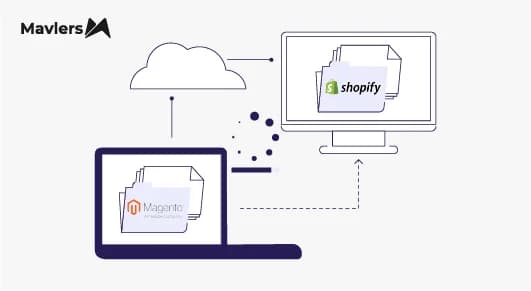
So, migrating an e-commerce store isn’t akin to redesigning a homepage.
In simple terms, it’s like performing open-heart surgery while the patient is still running a marathon.
Your store is live, orders are pouring in, customers are browsing, and organic search traffic is flowing every hour. And in the middle of all that, you’re attempting to move the entire commerce engine to Shopify without breaking revenue, search visibility, customer accounts, or checkout functionality.
When migrations go wrong, the consequences show up immediately in the form of;
~ Organic traffic suddenly drops
~ Returning customers can’t log in
~ Checkout customizations break
~ Subscription renewals fail
~ Analytics data gets fragmented
~ Apps conflict with the new store architecture
And yet thousands of e-commerce brands continue to migrate to Shopify every year.
Wondering why? Well, because when implemented correctly, Shopify offers the following benefits;
~ Highly optimized storefront performance
~ Fully managed infrastructure and security
~ Scalable checkout architecture
~ A massive developer ecosystem
~ Simplified e-commerce operations
However, there’s a reality most migration guides avoid mentioning:
Many e-commerce migrations only move surface-level data.
Products, customers, and orders get transferred, but deeper data structures, SEO signals, and operational logic are often overlooked.
That’s why this guide is different.
Instead of offering a shallow Shopify migration checklist, this is a strategic migration playbook that experienced, professional e-commerce teams deploy to migrate platforms safely and sustainably.
In the sections that follow, you’ll learn how to:
~ Migrate structured product data, not just descriptions
~ Reduce unnecessary Shopify app costs during migration
~ Transition checkout customizations to Checkout Extensibility
~ Preserve SEO traffic with correct URL mapping
~ Decide between Liquid storefronts and headless Shopify architecture
~ Migrate subscription data safely
~ Launch with strong storefront performance
If you’re a founder, e-commerce manager, or Head of Digital/Growth, our guided endeavour will help you complete an end-to-end Shopify migration without losing traffic, customers, or operational continuity.
Understanding why brands are migrating to Shopify
Before diving into the checklist, it helps to understand why businesses choose to move platforms in the first place.
The common triggers for Shopify migration include:
| Existing platform challenge | Why Shopify seems attractive |
| Slow or inconsistent performance | Shopify’s global CDN and optimized architecture |
| Security and hosting complexity | Fully managed infrastructure |
| Frequent maintenance overhead | Automatic updates |
| Checkout customization limitations | Advanced checkout extensibility |
| Development bottlenecks | Large developer and partner ecosystem |
Brands commonly migrate from Magento/Adobe Commerce, WooCommerce, BigCommerce, Salesforce Commerce Cloud, and custom e-commerce frameworks to Shopify.
However, migrations must be carefully executed.
Developers frequently warn about migration pitfalls in ecommerce forums. One recurring concern mentioned in migration discussions on platforms like Reddit is that missing redirect mappings or SEO signals can cause temporary ranking fluctuations after launch.
This is exactly why a structured Shopify SEO migration strategy is critical.
Delving into the modern Shopify migration framework
So, a successful Shopify migration typically unfolds across the following strategic phases:
~ Migration strategy and architecture decisions
~ Data structure mapping and transfer
~ Storefront and checkout architecture setup
~ SEO migration and URL redirect mapping
~ Testing, launch, and post-migration monitoring
Let’s explore each phase in detail.
| SHOPIFY MIGRATION FRAMEWORK 1. STRATEGY & ARCHITECTURE DECISION ▸ Migration goals ▸ Platform comparison ▸ Liquid vs Headless decision ▸ Shopify vs Shopify Plus evaluation ▸ App ecosystem audit ↓ 2. DATA STRUCTURE MIGRATION ▸ Products & variants ▸ Collections ▸ Metafields & metaobjects ▸ Customers & segmentation data ▸ Order history ▸ Subscription data & payment tokens ↓ 3. STORE BUILD & PLATFORM SETUP ▸ Theme or Hydrogen storefront ▸ Shopify Functions implementation ▸ Checkout Extensibility setup ▸ Payment & shipping configuration ▸ App stack optimization ↓ 4. SEO & URL MIGRATION ▸ URL mapping strategy ▸ 301 redirect implementation ▸ Metadata migration ▸ Structured data validation ▸ Sitemap & search console updates ↓ 5. TESTING & QUALITY ASSURANCE ▸ Checkout testing ▸ Payment gateway validation ▸ Subscription renewal testing ▸ Customer account migration testing ▸ Cross-device UX validation ↓ 6. LAUNCH & POST-MIGRATION MONITORIN ▸ Traffic monitoring ▸ Conversion rate tracking ▸ Checkout error monitoring ▸ SEO performance tracking ▸ App performance monitoring |
Phase 1: Migration strategy (The architecture decision gate)
Before migrating data, the first strategic decision to make is whether your store uses Shopify’s native Liquid architecture or a headless storefront.
Both approaches have valid use cases.
Option 1: Shopify Liquid (Theme-based architecture)
While this is the most common setup, it is best suited for;
~ Small-to-mid-sized ecommerce catalogs
~ Fast implementation timelines
~ Teams seeking lower development complexity
~ Stores relying on Shopify’s native features
Let’s explore some of its pros and cons.
Pros ~
~ Faster implementation
~ Lower ongoing maintenance
~ Native compatibility with Shopify features
~ Lower development cost
Cons ~
~ Frontend customization flexibility is somewhat constrained compared to headless architecture.
Option 2: Headless Shopify (Hydrogen/custom frontend)
Some enterprises adopt a headless architecture in which Shopify manages commerce functionality while a separate frontend controls the customer experience.
Headless can be useful when complex user experiences are required, custom content architecture is needed, performance optimization across channels is critical, and a composable commerce stack is being implemented.
However, headless architecture introduces additional technical complexity, infrastructure considerations, and development overhead.
For many e-commerce brands, Shopify’s Liquid architecture remains the most practical option.
Phase 2: Data architecture (Where most migrations tend to fail)
The most common migration mistake is treating migration as a simple data transfer.
Many teams only move product names, descriptions, images, and prices.
But modern e-commerce stores rely on structured data relationships that power filters, recommendations, and search.
Migrate structured data, not just product content
Instead of migrating descriptions alone, ensure the migration preserves structured product data.
Shopify supports structured data through metafields, metaobjects, and variant attributes.
Some examples of structured data worth migrating include:
| Data type | Shopify structure |
| Product specifications | Metafields |
| Technical attributes | Metafields |
| Taxonomy classifications | Metaobjects |
| Custom product relationships | Variant metafields |
| Rich schema data | Structured JSON-LD |
Migrating this information ensures that features like advanced filtering, recommendation engines, internal search, and SEO-rich snippets continue to function correctly after migration.
A deployable product data migration checklist
A thorough Shopify data migration should include products and variants, SKU data, inventory levels, product images and media assets, collections and categories, metafields and custom attributes, customer reviews, and digital downloads (if applicable).
Shopify documentation also recommends migrating products before customers and orders to ensure relational data remains consistent during import.
Phase 3: Customer data migration (The often overlooked asset)
Customer data is often migrated superficially, as many migrations transfer only name, email, and address.
However, e-commerce brands typically maintain deeper customer insights that power marketing segmentation.
Some examples include:
| Customer attribute | Recommended migration approach |
| Customer Lifetime Value | Tag or metafield |
| Purchase frequency | Tag |
| VIP or loyalty tiers | Tag |
| Subscription status | App-based data migration |
| Loyalty program identifiers | Metafield |
Migrating these attributes ensures that your CRM, email marketing, and loyalty segmentation continue to work immediately after launch.
Subscription data migration (Protecting recurring revenue)
If your store uses subscription tools such as Recharge or similar platforms, one critical asset that must be preserved is payment tokens.
Subscription platforms store encrypted payment tokens with the payment gateway.
If those tokens are lost during migration, customers must manually re-enter their payment details.
That can lead to subscription churn, failed renewals, and lost recurring revenue.
A proper migration requires coordinated token transfer through the subscription platform or gateway integration.
Testing subscription renewals before launch is essential.
Phase 4: App optimization during migration
Many e-commerce stores accumulate dozens of Shopify apps over time, and migration presents an ideal opportunity to audit and simplify your app stack.
Some legacy customizations, especially those previously implemented with Shopify Scripts, can now be implemented using newer Shopify frameworks such as Shopify Functions and Checkout Extensions.
For instance,
| App function | Possible native alternative |
| Basic discount logic | Shopify Functions |
| Shipping logic | Shopify Functions |
| Basic product bundles | Shopify Bundles |
| Custom product fields | Shopify metafields |
However, it’s important to note that many advanced use cases still require specialized apps, and the Shopify app ecosystem remains a core part of the platform.
Still, migration often allows businesses to reduce unnecessary app complexity and operational costs.
Shopify Scripts vs Shopify Functions
Older Shopify Plus stores often used Shopify Scripts written in Ruby.
Shopify Scripts are gradually being replaced by Shopify Functions, the modern framework used for implementing discount, shipping, and payment logic.
Advantages of Shopify Functions include faster execution, deeper platform integration, and compatibility with checkout extensibility.
When planning a Shopify Plus migration, scripts should typically be reviewed and migrated to Functions where applicable.
Phase 5: Checkout architecture (Modern Shopify standard)
Checkout customization in Shopify has evolved significantly.
Previously, Shopify Plus merchants used the checkout.liquid file.
However, Shopify has replaced this approach with Checkout Extensibility, which enables customization through app-based extensions.
Checkout Extensibility provides sandboxed security environments, compatibility with platform updates, improved performance, and stability
Today, Checkout Extensibility is the required framework for customizing Shopify checkout experiences.
Phase 6: Shopify SEO migration (Preserving traffic)
One of the biggest concerns about migration is the disruption to SEO.
During Shopify SEO migration, URL structures often change.
For example, Shopify enforces structured URL patterns such as:
/products/product-name
/collections/category-name
/blogs/news/article-name
Some platforms previously used flat URLs, which means redirect mapping becomes critical.
We recommend reading ~ The Complete Website Migration Checklist: A Comprehensive Guide to Seamless Transition and SEO Success.
URL redirect mapping checklist
Create 301 redirects for product pages, category pages, blog articles, legacy landing pages, and media asset URLs.
Proper redirect mapping ensures that existing backlinks remain valid, search rankings are preserved, and users don’t encounter broken links.
SEO migration checklist
A thorough Shopify SEO migration should include redirect mapping, metadata migration, canonical tag validation, structured data testing, sitemap submission, and internal link updates.
These steps help ensure organic visibility remains stable after launch.
Phase 7: Performance optimization before launch
Migration is the perfect time to improve storefront performance.
Shopify already provides automatic image optimization through its CDN, but additional strategies can further improve speed.
For example, optimizing media assets before upload, reducing unnecessary scripts, minimizing third-party app load, and implementing modern image formats where supported.
These improvements can significantly increase the likelihood of launching with strong Core Web Vitals performance.
Pre-launch Shopify migration checklist
Before launching your new store, it’s always a good idea to validate the following:
Technical testing
~ Payment gateways are functioning correctly
~ Checkout flow tested across devices
~ Shipping and tax calculations verified
~ Inventory syncing correctly
SEO validation
~ Redirects tested
~ Metadata confirmed
~ Sitemap submitted to Google Search Console
Customer experience testing
~ Customer login tested
~ Password reset flows verified
~ Subscription renewals tested
Post-migration monitoring
Migration success isn’t determined on launch day.
Monitoring the first 30–60 days after migration remains essential.
One must track metrics such as:
| Metric | Why it matters |
| Organic traffic | Detect SEO changes |
| Conversion rate | Validate UX improvements |
| Checkout error rates | Identify payment issues |
| Subscription renewals | Confirm recurring revenue continuity |
Common Shopify migration mistakes to steer clear of
Even experienced teams occasionally overlook critical migration steps.
Some common pitfalls include:
~ Migrating descriptions but ignoring structured data
~ Missing redirect mappings
~ Failing to migrate subscription data
~ Retaining unnecessary apps
~ Launching without performance testing
Avoiding these mistakes significantly increases the chances of a smooth Shopify migration.
The road ahead
In case you’d like to partner with Mavlers for your bespoke Shopify needs, we recommend reading ~ How can Mavlers help address your Shopify needs?