Lifecycle marketing
 Customer data management
 Email campaign production
 Search marketing
 CMS development
 Who we are
 How we work
 Case studies
 Testimonials
 Salesforce Marketing Cloud
 Braze
Braze HubSpot
 Marketo
 Pardot
 DataBricks
 Snowflake
 HighTouch
 RudderStack
 Segment by Twilio
 Videos
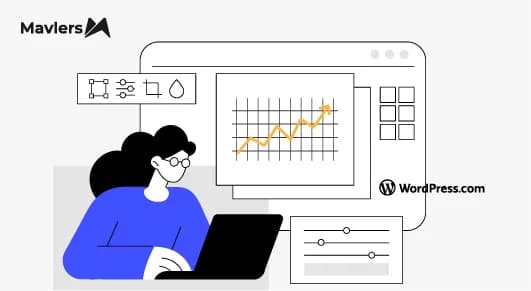
So, honestly, reporting is not the problem; it’s the way we do it!
If you are managing WordPress maintenance for multiple clients, your month probably ends like this…
You open MainWP or ManageWP, a couple of dashboards, and a Google Sheet you “sort of” maintain.
Then you pull numbers, copy them somewhere, try to make them look presentable, and write a summary that sounds slightly different from last month.
Repeat that 20, 40, or 80 times.
Now, nothing about this is intellectually demanding, but it does eat away at your work hours.
And worse, it’s the kind of work that feels invisible.
The client doesn’t see the effort. They just see the report.
So the real question that must be answered is, “How do you reduce the effort without reducing the quality?”
That’s where this setup, Google Sheets + Google Looker Studio + GPT, actually earns its place.
Not as hype, but as an automated system.
Unveiling the challenge ~ understanding that manual maintenance reports are quietly inefficient
So, most teams already track maintenance data in spreadsheets, tools like MainWP or ManageWP, or internal dashboards.
But when the time comes to compile the report, everything becomes manual again.
At the end of the month, someone has to pull the latest metrics, add context (“updates completed”, “uptime stable”), write a summary email, and format everything for the client.
While these are small tasks individually, together they can easily take 3-4 hours.
And if you’re managing dozens of sites, you end up spending days every month on something that doesn’t need that level of effort.
Discussing the solution ~ The conflation of Looker Studio + GPT (done the practical way)
So, when you connect your maintenance data to Google Looker Studio and layer in AI summaries, you turn reporting into a system, not a task.
Let’s break it down properly.
Step 1 ~ Begin with centralizing your maintenance data in Google Sheets
The one rule that stays supreme here is that if your data isn’t clean and centralized, automation won’t work.
Now, most teams use Google Sheets as their source of truth.
You can push data into it using Zapier / Make integrations, MainWP or ManageWP exports, or Custom WordPress cron jobs via REST APIs.
Each row in the sheet might include typical fields such as site name, update date, plugins/themes updated, backup status, performance score, security status, and notes or comments.
Once this is in place, voila, you’ve already removed half the friction.
Step 2 ~ Proceed to connecting Google Sheets with Looker Studio
Now plug that sheet into Google Looker Studio.
Once connected, reporting starts to feel a lot less like itself!
Instead of sending spreadsheets, you get to create cool live dashboards, trend charts, and scorecards.
You can visualize the number of updates over time, backup consistency, average performance scores, security checks, and uptime trends.
And the fun part is that you get to stop explaining everything and instead start showing it clearly!
Step 3: Use GPT for natural-language summaries
You may now deploy OpenAI’s ChatGPT (or any other LLM API) to come up with readable summaries based on your data automatically.
For example:
“This month, 15 WordPress sites were updated with 86 plugin changes and 4 theme updates. Average site performance improved by 12%, and uptime remained steady at 99.97%. Security scans detected no major vulnerabilities.”
This text is dynamically generated using GPT based on the sheet data, then displayed in Looker Studio via a connected field or embedded note section.
However, a caveat is in order: use AI only to translate data into readable language, not for deep analysis or decision-making.
Step 4: Automate the process of report delivery
Once you are done setting up the dashboard and the AI summary is in place, Looker Studio can automatically:
~ Generate PDF reports weekly or monthly
~ Email them to clients with a customized message
~ Or, share a live link where clients can view their up-to-date maintenance status anytime
Using automation tools (like Apps Script or Zapier Email), the GPT-generated summary can be inserted into the body of the email so clients receive a dynamic, human-like status update without you needing to lift a finger.
Unveiling the time-saving inherent advantage!
Let’s now quantify the benefits of this reporting automation workaround.
| Task | Traditional method | With Looker Studio + GPT |
| Data collection | Manual input from multiple tools | Automated via Google Sheets |
| Report formatting | Excel or PowerPoint | Dynamic visualization |
| Summary writing | Manual | AI-generated instantly |
| Client delivery | Email + attachments | Automated email or live dashboard |
| Total time saved | 3–4 hours per report | 15–20 minutes setup, then auto |
For agencies handling 70-80 WordPress clients, this adds up to dozens of hours saved monthly, plus more consistent, data-rich insights for clients.
Why clients might actually like this better
Well, this isn’t just about internal efficiency.
Clients feel the difference.
~ They get real-time access
No waiting for month-end updates.
~ They understand faster
Summaries are clear and non-technical.
~ It feels more polished
Dashboards and structured insights translate into a higher perceived value.
And that last point matters more than most people realize.
What you can build next (once the system is running)
Once your foundation is in place, you can expand the following;
~ Add sentiment-based summaries, for instance, “Overall site health is excellent this month.”
~ Train GPT models on past reports for tone consistency.
~ Integrate Slack or email notifications for performance alerts.
~ Allow clients to query data using natural language (“Show me my uptime for the last quarter”).
At that point, reporting stops being static and becomes interactive.
The road ahead
On that note, we recommend reading “AI for project management: The game-changing partnership you didn’t see coming!“